
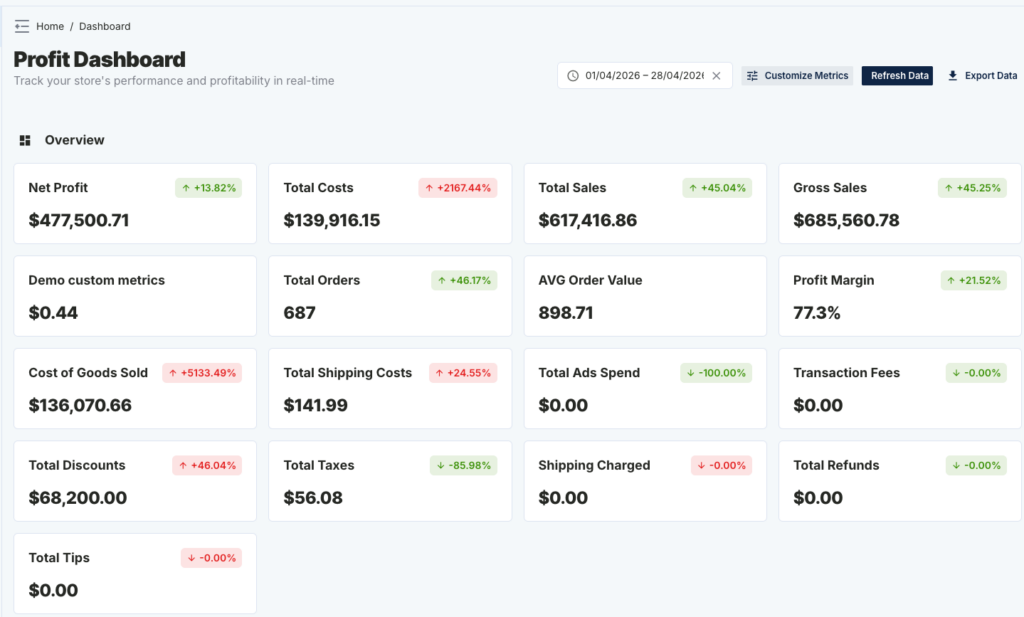
Not every Shopify store measures success the same way. That’s why Netlyze – Profit Tracking allows you to customize your dashboard metrics — so you can track what actually matters to your business.
With Custom Metrics, you can create your own formulas using existing data like revenue, profit, costs, and orders — and display them directly on your dashboard.
📊 What You Can Do with Customize Metrics
- ➤ Add or remove metrics from your dashboard
- ➤ Reorder metrics to match your workflow
- ➤ Create custom formulas (e.g. profit per order)
- ➤ Focus only on the numbers that drive decisions
⚙️ How to Customize Dashboard Metrics
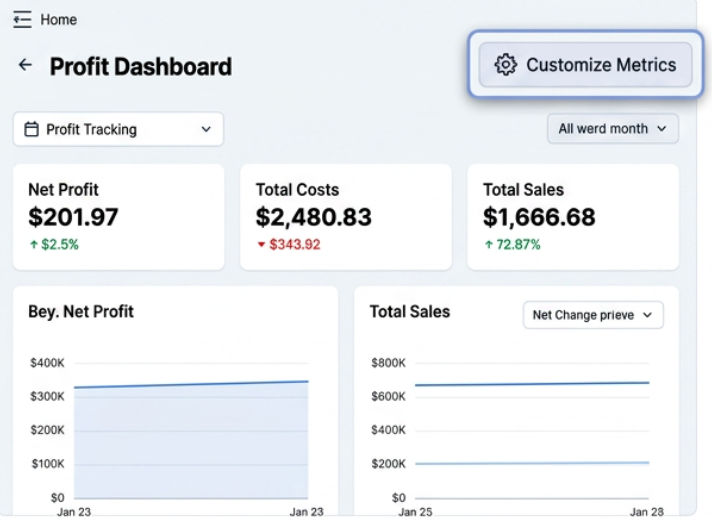
Step 1: Open Customize Metrics
From your Profit Dashboard, click “Customize Metrics” in the top right corner.
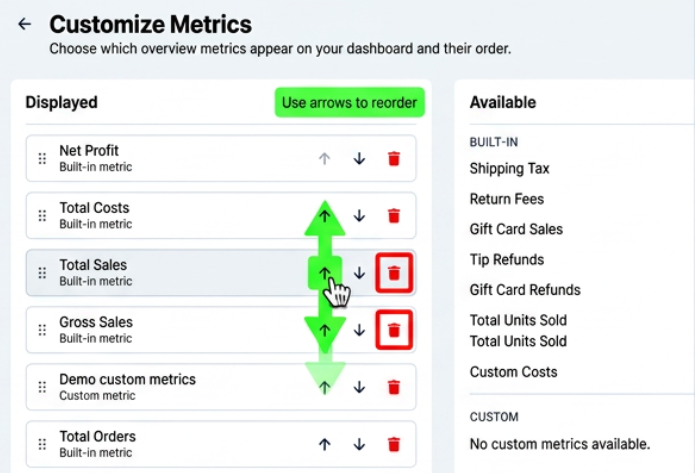
Step 2: Manage Displayed Metrics
In the Displayed section, you can:
- ⬆️ Move metrics up/down to change order
- 🗑 Remove metrics from dashboard
- 📌 Keep only the most important KPIs visible
Step 3: Add Available Metrics
In the Available section:
- Click “+” to add built-in metrics like Shipping Tax, Units Sold, etc.
- Add them instantly to your dashboard view
Step 4: Save Changes
Click “Save” to apply your customized dashboard layout.
🧮 Create Custom Metrics (Advanced)
Need deeper insights? You can create your own metrics using formulas.
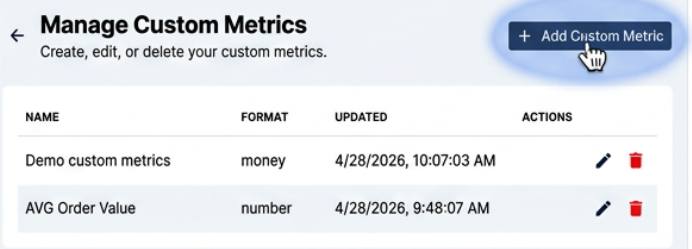
Step 1: Go to “Manage Custom Metrics”
Click “Manage Custom Metrics” → then “Add Custom Metric”
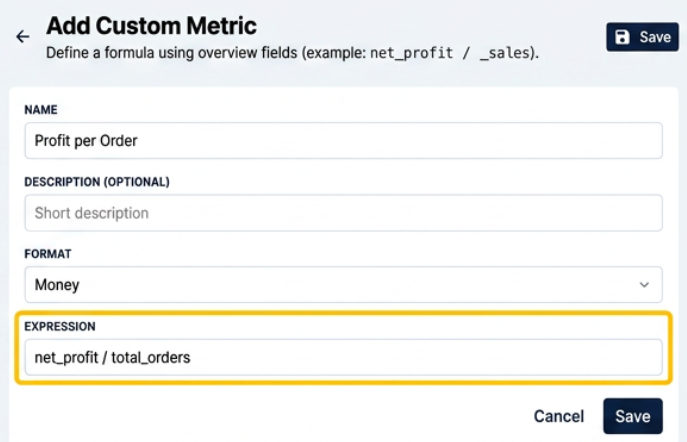
Step 2: Define Your Metric
- Name: e.g. Profit per Order
- Description: Optional explanation
- Format: Money / Number / Percentage
- Expression: Your formula
Step 3: Example Formulas
- ➤ Profit per Order = net_profit / total_orders
- ➤ Cost Ratio = total_costs / total_sales
- ➤ Ad Efficiency = total_sales / ads_spend
Once created, your custom metric will appear in the Available section and can be added to your dashboard.
📈 Why Custom Metrics Matter
Most Shopify analytics tools show you revenue — but revenue alone doesn’t tell the full story.
With Netlyze, you can:
- ✔️ Track real profit instead of vanity metrics
- ✔️ Build metrics tailored to your business model
- ✔️ Make faster, data-driven decisions
💡 Pro Tips
- 🚀 Keep your dashboard clean — avoid too many metrics
- 📊 Focus on 5–8 key KPIs for daily tracking
- 🔁 Regularly update metrics as your business scales
🎯 Summary
The Customize Metrics feature helps you turn your dashboard into a true profit command center.
Instead of adapting to generic reports, you define your own metrics — and finally see the numbers that actually matter.
👉 Start customizing your dashboard today and take full control of your Shopify profit tracking.