
Follow the steps below to create your account in just a few minutes:
Step 1: Open the Sign Up page
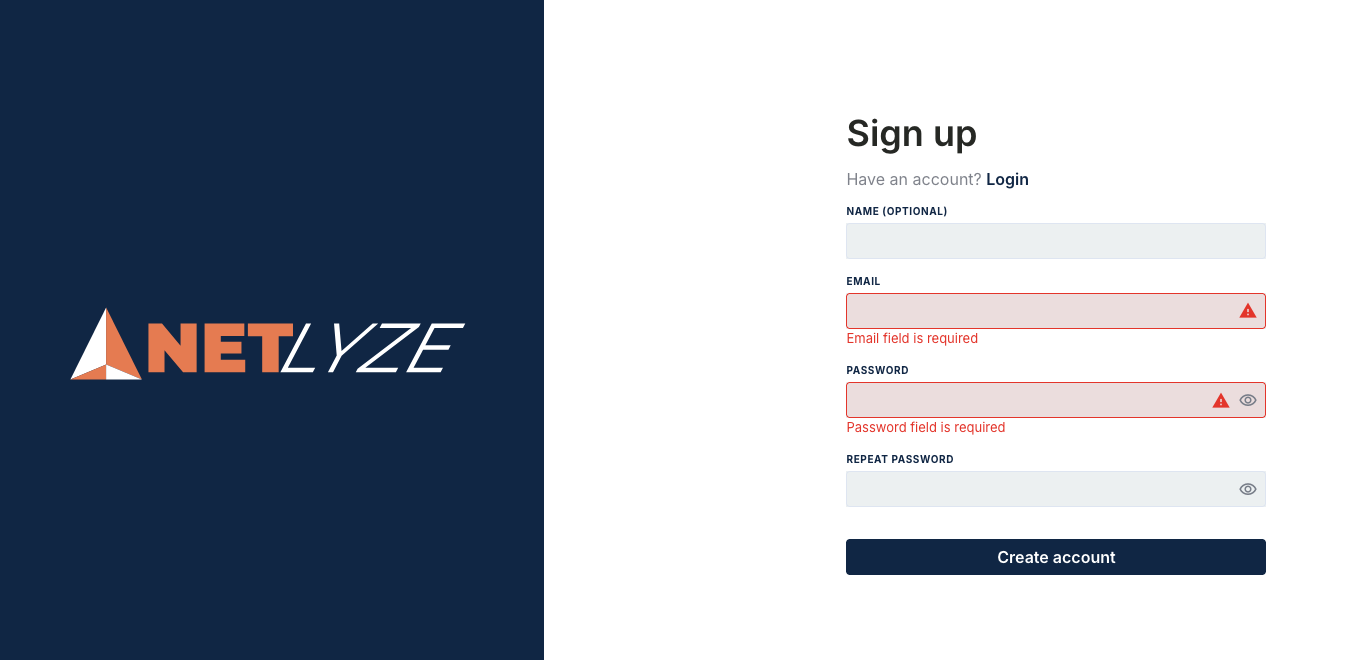
On the Sign Up screen, you will see a registration form.
Step 2: Enter your information
-
Name (optional): Enter your name if you would like us to personalize your experience.
-
Email: Enter a valid email address. This will be used for login and important notifications.
-
Password: Create a secure password with at least 8 characters, including letters, numbers, and special characters.
-
Repeat Password: Re-enter your password to confirm it matches.
You can click the eye icon to show or hide your password while typing.
Step 3: Create your account
Click the Create account button to complete your registration.
Step 4: Log in
If you already have an account, click Login at the top of the page to sign in instead.
Tip for users
Make sure you use an email address you can access, as it may be required for account verification or password recovery.