
You can sign in using Shopify or by using your email and password. Choose the option that matches how you want to access the app.
Option 1: Connect with Shopify Store (Recommended)
This option is best for Shopify merchants and is the fastest way to log in.
Method A: Connect Automatically
-
On the login screen, click Connect Shopify Store.
-
You will be redirected to Shopify.
-
Approve the connection to continue.
-
Once connected, you will be logged in automatically.
Method B: Reconnect Using Shopify Domain
(For stores that need to reconnect)
-
Enter your Shopify domain
Example:your-store.myshopify.com -
Click Connect Domain.
-
Complete the authorization on Shopify.
Use this method if:
-
Your store was previously connected
-
Your Shopify session expired
-
You need to reconnect an existing store
Option 2: Log In with Account (Email & Password)
Use this option if you created an account using your email.
-
Enter your email and password.
-
Click Sign In.
What happens next?
-
If your account already has a Shopify store connected:
You will be taken directly to the dashboard. -
If your account does NOT have any Shopify store linked:
You will be redirected to the Connect Shopify Store screen. -
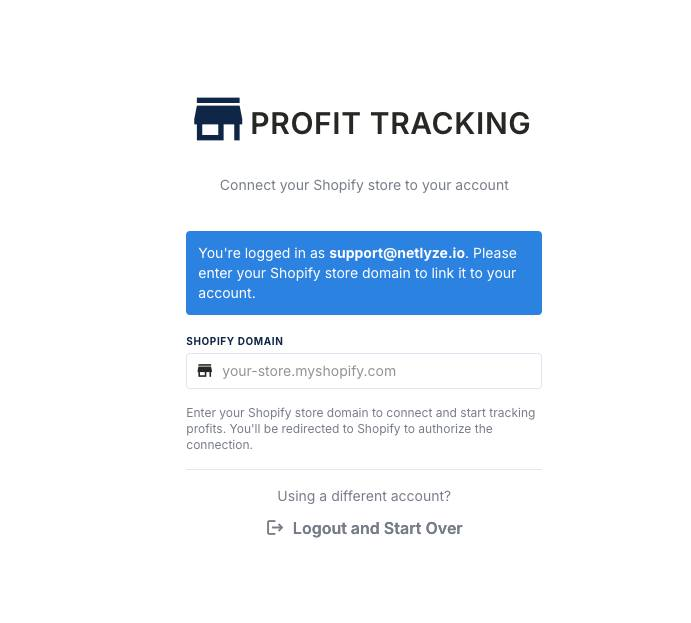
You must connect a Shopify store to continue using the app.
Connecting a Shopify Store After Login
When prompted, follow these steps:
-
Click Connect Shopify Store
or
Enter your Shopify domain (example:your-store.myshopify.com) and click Connect Domain. -
Approve the connection on Shopify.
-
Once connected, you will be redirected to your dashboard.
Why is connecting a Shopify store required?
This app works directly with Shopify order and cost data.
Without a connected store, the app cannot calculate revenue, costs, or profit.
Summary
-
You can log in using Shopify or email & password.
-
Logging in with an account does not automatically connect a store.
-
If no Shopify store is linked, you must connect one before using the app.